How to Choose the Best AI Task Automation Tools for Voice and Text Task Creation
You're evaluating AI task tools because voice notes and text messages are piling up faster than your team can turn them into assignments. Most platforms still force you into clunky dashboards that break your WhatsApp-native workflow. By the end of this article, you'll know exactly which criteria separate a practical voice-to-task system from a demo-heavy disappointment.
You'll get a clear breakdown of the five leading options, including Tasks.Bot's WhatsApp-native approach, plus a concrete framework for matching each tool to your team size and field reporting needs. You'll leave with a definitive #1 pick and a shortlist you can test this week.
What to Look For in AI Task Automation Tools for Voice and Text
To evaluate AI task automation tools effectively, focus on three core capabilities: voice recognition accuracy, natural language understanding, and integration with your existing communication channels.
Not all AI tools are created equal. Some excel at transcribing voice commands but struggle to extract the right meaning, while others handle text perfectly but fail in noisy environments. The right choice depends on how well the tool matches your specific workflow.
Before comparing options, define what success looks like for your team. Consider the types of tasks you create most often, the languages and accents your team uses, and the apps where work already happens. These criteria will guide you toward a tool that feels less like software and more like an assistant.
Voice Recognition Accuracy and Natural Language Understanding
Voice recognition accuracy is measured by how well the tool transcribes speech into text, while natural language understanding (NLU) determines how accurately it interprets the user's intent and extracts key details.
A tool might hear "create a task for tomorrow at 3 PM" perfectly, but if it cannot identify that "tomorrow" is the due date and "3 PM" is the time, the transcription is useless. Entity recognition and intent recognition are the backbone of effective voice task creation. Look for tools that parse dates, times, assignees, and priorities from natural phrasing without requiring rigid command formats.
Accuracy matters most in real-world conditions. Test tools with background noise, varied accents, and different speaking speeds. Research suggests that the best models handle these variations gracefully, but the only way to know for sure is to try them yourself. Record a few sample commands and see which tool extracts the correct details every time.
Machine learning models improve over time, so look for tools that continuously update their language understanding. Providers that invest in regular model refreshes tend to handle new slang, industry jargon, and evolving phrasing better than those with static systems.
Integration with Existing Communication Channels
The best AI task automation tools fit seamlessly into the channels your team already uses daily, such as WhatsApp, Slack, or Microsoft Teams, eliminating the need for new software adoption.
Integration reduces friction. When a tool works inside the apps your team already has open, there is no learning curve and no new tab to remember. Native connectors or API support allow the tool to listen for voice commands in a team meeting, read text messages in a shared channel, and create tasks without anyone switching contexts.
Consider how the integration actually works in practice. Some tools offer dedicated bots that sit inside a channel, while others connect through webhooks or custom APIs. The right approach depends on your team's habits. A sales team living in email might prefer a tool that parses forwarded messages, while an operations team on Slack wants a slash command or bot mention.
Centralized communication is another benefit. When task creation happens inside existing channels, the context stays with the conversation. A voice note in a team chat becomes a task with the original message attached, so nothing gets lost in translation.
Tools that operate within your current apps also tend to have better compliance and security posture, since they inherit the permissions and governance of the host platform. Integration capabilities should be a top priority when comparing options, because the best AI model in the world is useless if your team never opens the app.
1. Tasks.Bot - Best Overall
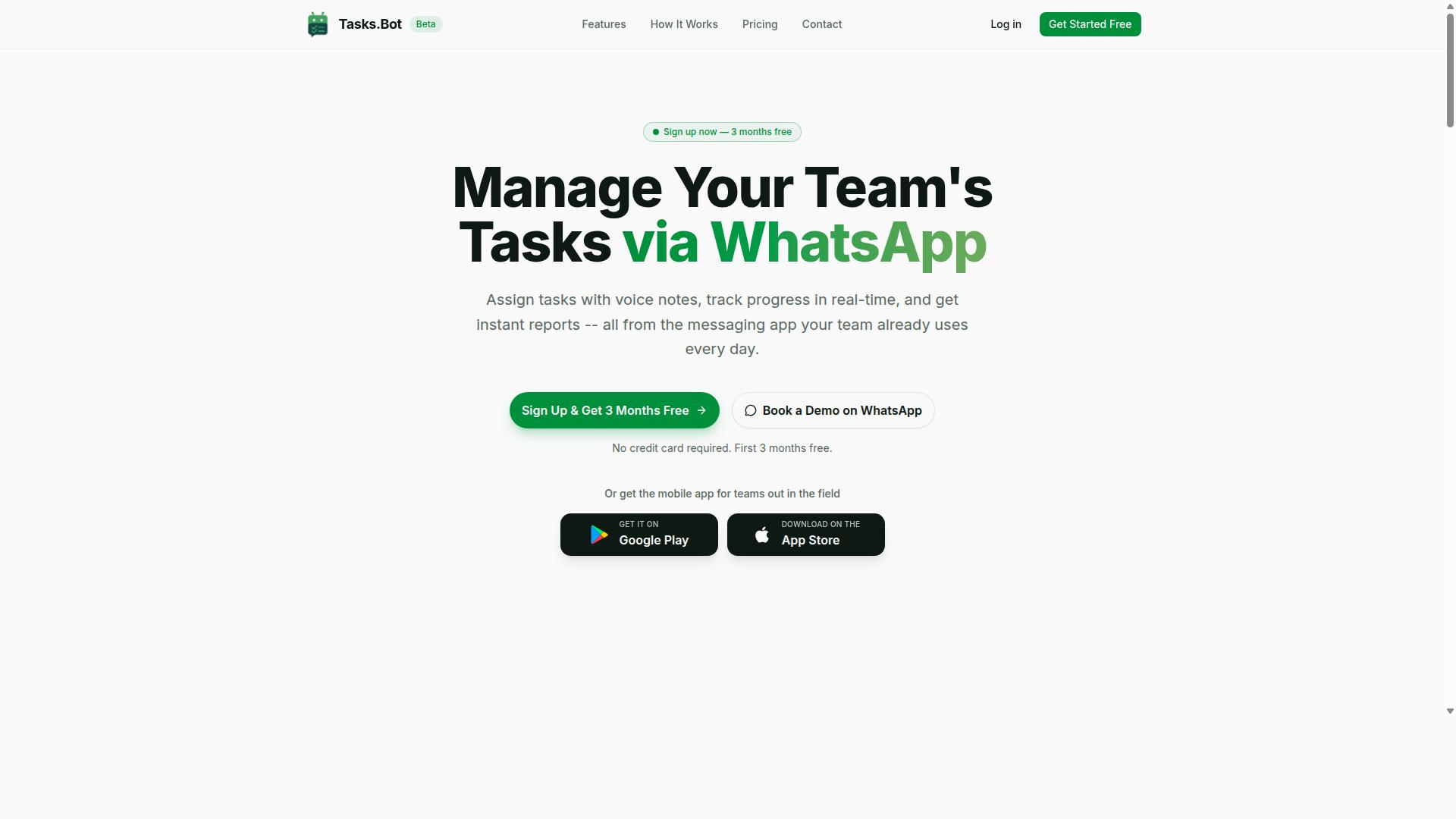
Tasks.Bot stands out as the best overall AI task automation tool because it operates entirely within WhatsApp, making task creation as simple as sending a message or voice note. There is no new software to install and no new account to create. Your team already knows how to use WhatsApp, so the learning curve is practically zero.
The platform uses AI to understand natural language and voice notes, converting everyday conversation into structured tasks. This makes it a powerful choice for teams that need voice task creation and text task creation without abandoning their existing communication habits. It combines the familiarity of a messaging app with the power of a dedicated task management system.
Beyond basic task capture, Tasks.Bot includes automatic task assignment, smart deadline reminders, approvals and automations, instant reports, and a live day tracker. For field teams, it offers face-verified attendance and tasks displayed on a map. All of this happens inside WhatsApp, which is why it earns the top spot for teams that value speed and simplicity.
Voice Note Task Creation and WhatsApp-Native Workflow
With Tasks.Bot, field staff can simply send a voice note on WhatsApp, and the AI automatically creates a task, assigns it, and sets reminders-no typing required. The speech-to-text engine transcribes the note, while natural language processing parses the intent and extracts key details like the task description, deadline, and assignee. This turns a 30-second voice message into a fully structured task.
This workflow is especially valuable for field staff who are constantly on the move. Instead of stopping to type out details on a small screen, they can dictate while walking, driving, or standing at a job site. The AI handles the data extraction and entity recognition, so nothing gets lost in translation.
Automatic assignment means tasks go straight to the right person without a manager having to route them manually. Smart reminders keep everyone on schedule, and the entire process stays inside WhatsApp. There is no need to switch between apps or log into a separate dashboard just to create a task, which keeps the workflow fast and frictionless for remote and mobile teams.
Pricing, Free Trial, and Global Availability
Tasks.Bot offers a straightforward pricing model starting at 200 per member per month, with a free trial available for teams to test the platform before committing. The annual plan costs 1,200 per year per member, which saves 50% compared to monthly billing. All features are included in the single "Full Access" plan, so there are no surprise upsells for core functionality.
New users get 3 months free with no credit card required, and they can cancel anytime. This makes it easy to evaluate the tool on real projects without financial risk. Pricing is available in Indian Rupees and US Dollars, though you should verify the current currency option on the site before subscribing.
Tasks.Bot is available worldwide as a SaaS product with no country restrictions. Since it runs on WhatsApp, any team with a WhatsApp account can start using it. For teams evaluating AI task automation tools, the combination of a generous free trial, transparent pricing, and global access makes it a low-risk choice worth testing.
2. Reminderly.ai
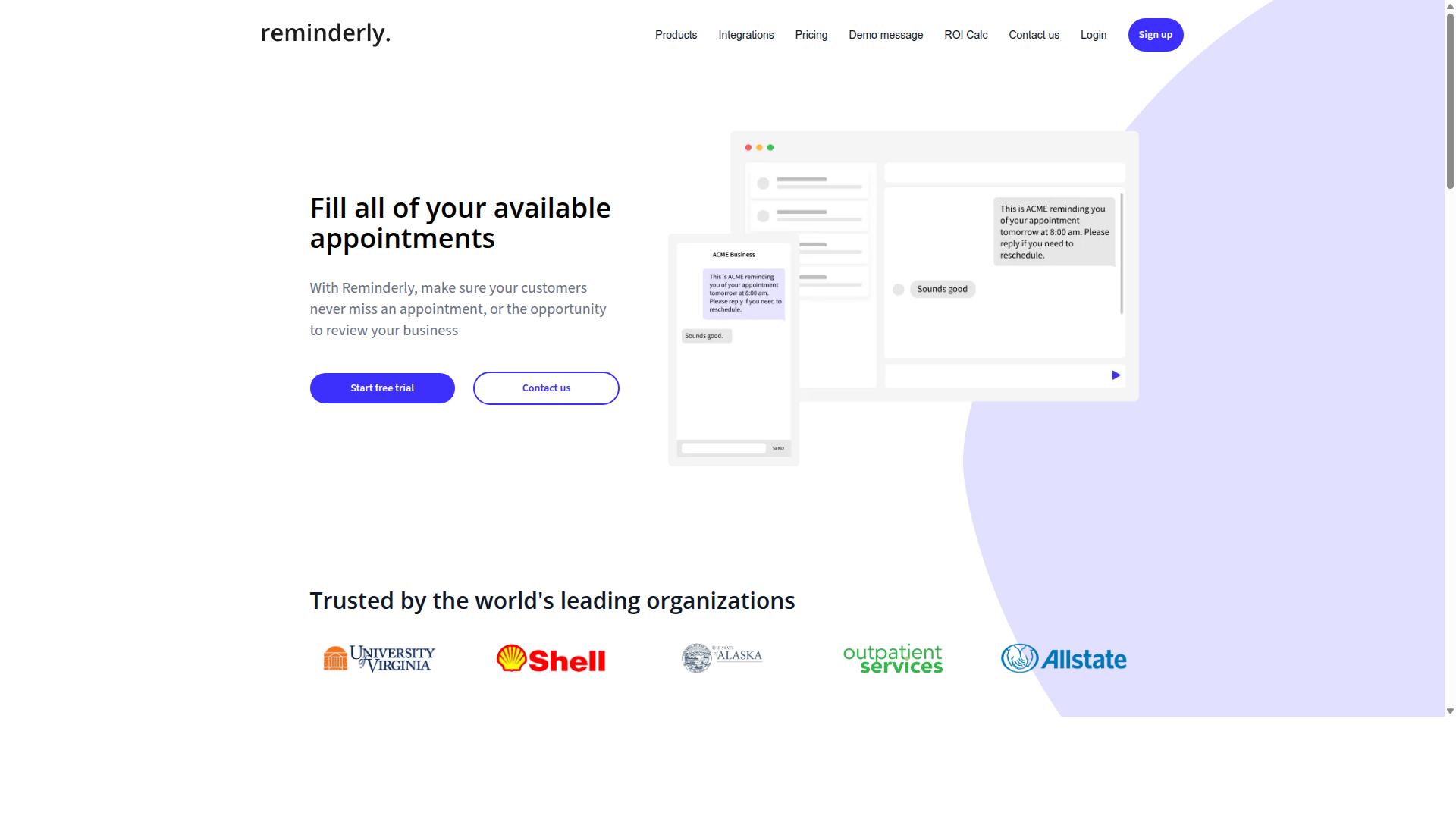
Reminderly.ai is a competitor that focuses on text-based task creation and smart reminders, but its capabilities are more limited compared to voice-native tools. It is known for catering to users who prefer typing out their tasks rather than speaking them, which can be a comfortable fit for desk-bound workflows.
The platform may offer integration with popular messaging apps, allowing users to send tasks or reminders directly from their chat interfaces. This approach leverages text commands that users are already familiar with, reducing the learning curve for basic task scheduling and organization.
However, voice support appears to be a notable gap for Reminderly.ai. Users who rely on hands-free operation or need to capture tasks while on the move may find this limitation frustrating, especially when compared to tools that prioritize speech recognition and voice task creation.
Its AI understanding may also be less sophisticated than dedicated automation platforms. While it can likely handle straightforward reminders and simple text commands, complex instructions involving multiple steps, conditional logic, or nuanced intent recognition might exceed its capabilities. For users seeking deeper workflow automation or advanced natural language processing, this tool could feel restrictive.
Reminderly.ai is best suited for individuals with modest task management needs who value simplicity and chat-based convenience. Teams looking for a more comprehensive AI task automation solution with both voice and text flexibility would likely need to evaluate other options.
3. TaskRio
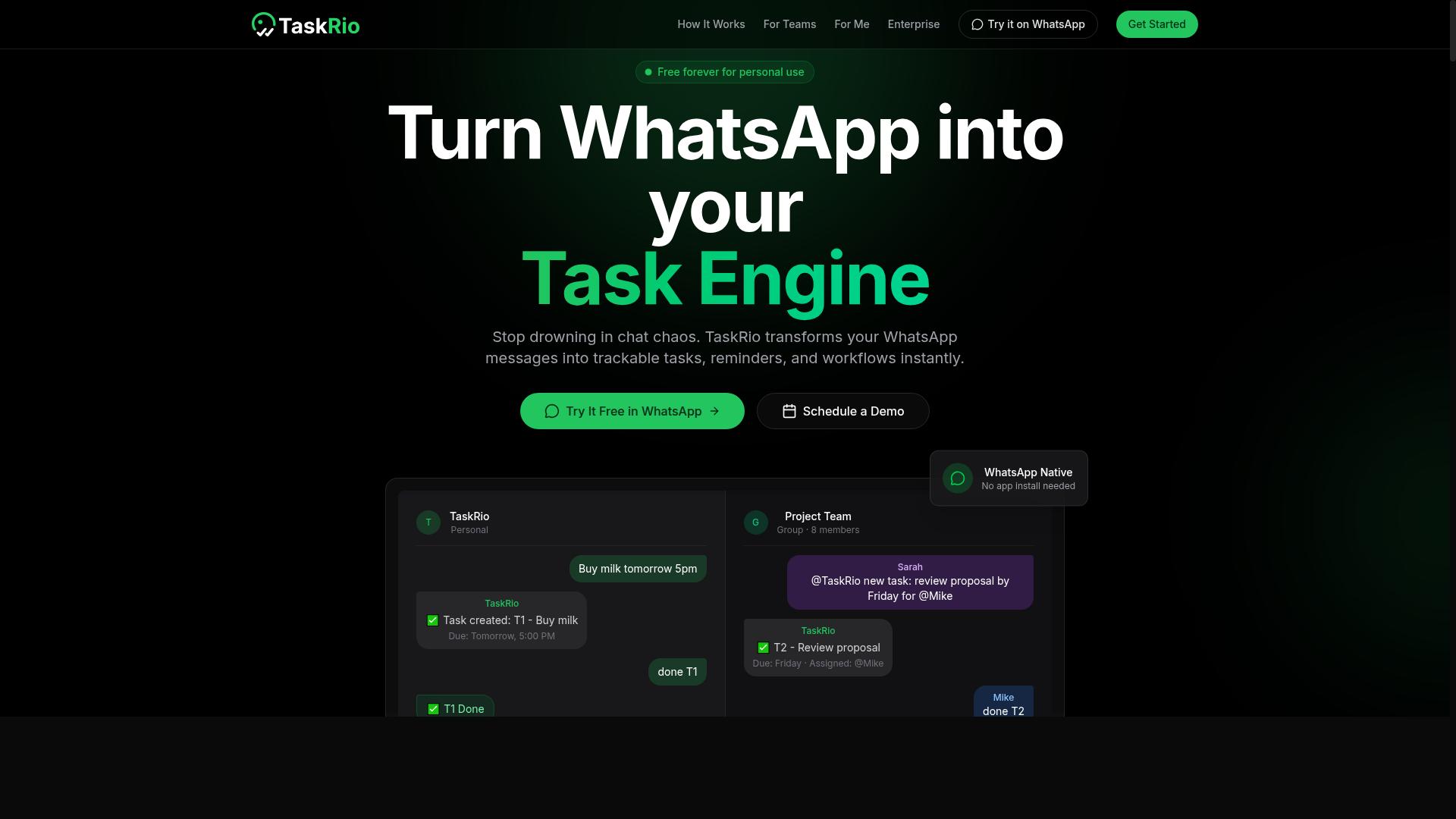
TaskRio is a task automation tool that emphasizes workflow automation and a user-friendly interface, but it may require more setup than simpler chat-based tools. It is positioned as a no-code platform where users can build custom workflows through visual configuration rather than relying on natural language processing alone.
The platform appears to offer a drag-and-drop builder that lets you connect different steps in a sequence, which can be useful for teams that want predictable, repeatable processes. For text task creation, you would likely spend more time mapping out each stage of the workflow manually, as opposed to typing a command and letting the system interpret it.
One area where TaskRio seems less developed is native voice integration. There is limited evidence that it supports speech-to-text or voice commands directly, so you may need to pair it with a separate voice assistant or dictation tool to enable voice task creation.
Similarly, WhatsApp integration does not appear to be a built-in feature. If your team relies on messaging apps to capture tasks, you would need to check whether the tool offers API support or third-party connectors to bridge that gap. This adds an extra layer of configuration that could slow down adoption.
For teams that already have a clear workflow in mind and prefer visual customization, TaskRio could be a solid fit. However, for users who want to create tasks quickly through voice commands or text commands without heavy setup, it may feel more like a traditional workflow automation tool than an AI-first assistant.
4. Karo.bot
Karo.bot is a chatbot-based task automation tool that works through text commands, but it lacks the advanced AI voice recognition found in top-tier solutions. The platform focuses on simplifying task creation through a conversational text interface, which can feel approachable for teams new to automation tools.
Its core strength is simplicity for basic task scheduling. Users type what they need, and the chatbot interprets the request to create or organize tasks. For small teams handling straightforward to-do lists, this text command approach can reduce the learning curve compared to more complex no-code platforms.
However, the limitations become clear when demands grow. Karo.bot struggles with nuanced natural language processing and has no support for voice task creation or speech-to-text input. Complex requests that involve multiple steps, conditional logic, or integrations with other apps may exceed its capabilities.
Teams that rely heavily on voice assistants or need deep workflow automation will likely find Karo.bot too restrictive. The tool appears best suited for small teams with basic needs who prefer typing quick commands over building elaborate automations. If your primary requirement is voice commands or sophisticated intent recognition, this chatbot may not be the right fit for your task management workflow.
5. The Sarah AI
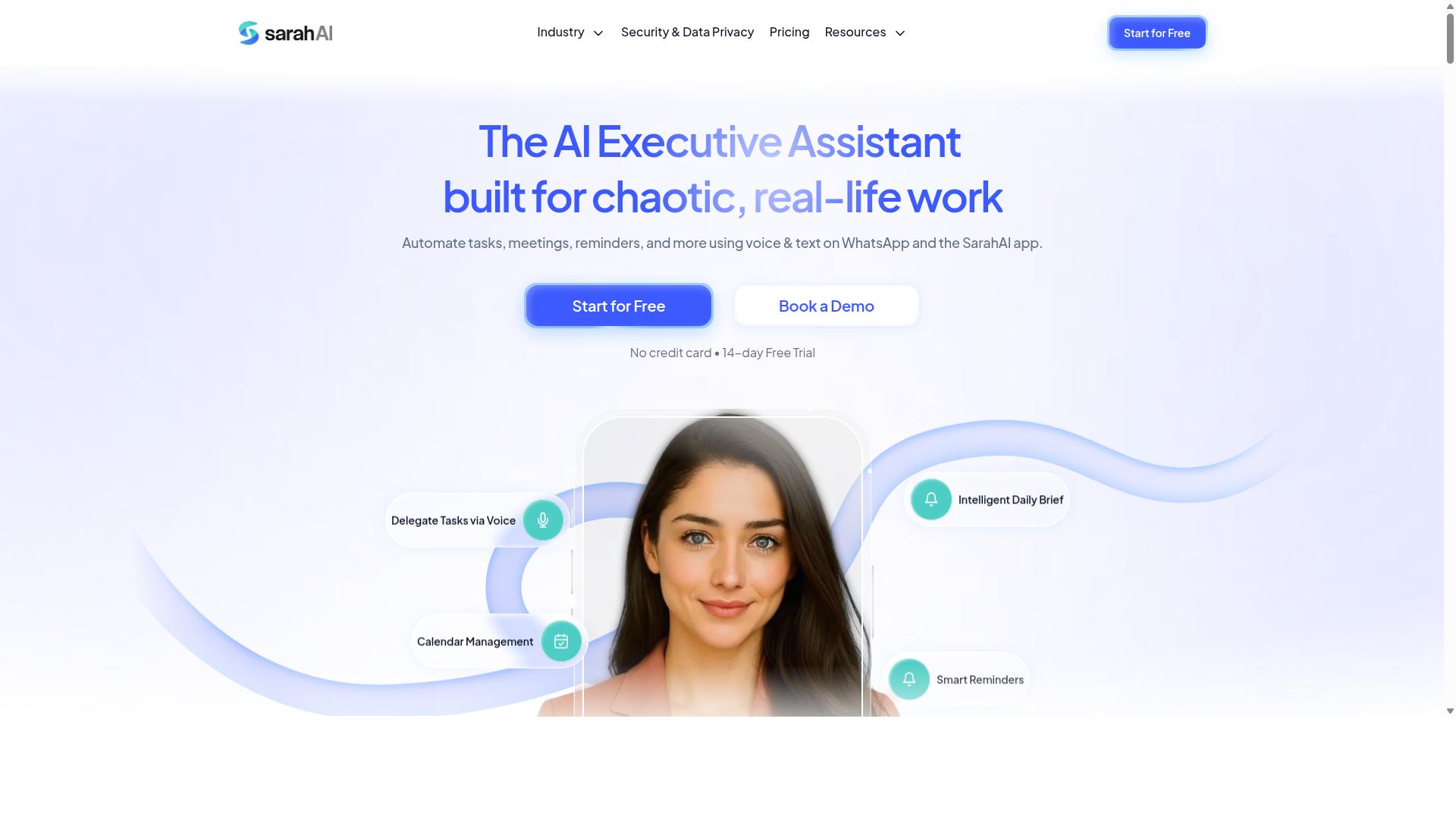
The Sarah AI is an AI assistant that offers task automation through a conversational interface, but its focus is more on general productivity than team task management. It aims to handle a range of everyday requests using natural language processing and speech recognition capabilities.
For voice task creation, The Sarah AI may interpret spoken commands and convert them into actionable items. Its strength likely lies in understanding conversational language, which can be useful for quick text commands or simple task scheduling. However, its design appears oriented toward individual assistance rather than coordinating work across a team.
When evaluating The Sarah AI for your needs, consider whether your workflows require specialized field staff coordination or shared task management. General-purpose assistants often lack the depth needed for assigning tasks, tracking progress across multiple users, or integrating with complex operational systems.
Integration capabilities are worth investigating. While The Sarah AI may connect with common productivity apps, its API support and customization options could be limited compared to dedicated task management platforms. Ask about its ability to handle entity recognition for extracting details like dates, locations, and assignees from voice input.
For teams that need structured workflows, custom templates, and role-based permissions, a general assistant may fall short. Assess whether its user interface supports team visibility or if it primarily serves one user at a time. If your operations rely on assigning tasks to field staff or tracking completion status, a purpose-built AI task automation tool will likely serve you better.
How to Choose the Right Option
Choosing the right AI task automation tool depends on your team's size, the nature of your work (especially if you have field staff), and your reporting needs. A tool that works perfectly for a five-person office team may fall short for a dispersed workforce managing jobs on the go.
Start by mapping how your team actually communicates today. If your staff already lives in WhatsApp or similar messaging apps, the learning curve for a new platform matters more than any feature list. The right tool should feel like a natural extension of your existing workflow, not a separate system to check.
You also need clarity on what you must track. Task completion alone may not be enough if you also need attendance records or hours that feed directly into payroll. Write down your non-negotiable requirements before comparing options, and let that list guide every decision you make.
Assessing Team Size, Field Staff Needs, and Reporting Requirements
If your team includes field staff who are always on the move, prioritize tools that work on mobile and support voice commands, and ensure the tool can generate reports on task completion and hours worked. A desktop-only solution will create friction for workers who rarely sit in front of a computer.
Work through this checklist to narrow your options:
- Team size: Small teams may need simple task lists, while larger teams require role-based permissions, task assignment, and progress visibility across multiple projects.
- Field staff needs: Look for mobile access, reliable voice input for hands-free task creation, and offline capability so work continues in areas with poor connectivity.
- Reporting requirements: Confirm the tool tracks what you actually need, such as task completion rates, time spent per job, and hours that are payroll-ready without manual re-entry.
For teams that already coordinate through WhatsApp, tools like Tasks.Bot fit naturally into that communication flow. The platform is built for teams with field staff who need task management, attendance tracking, and payroll-ready hours, and the service reports that hundreds of teams already use it. Face-verified attendance is a notable feature, as it helps prevent buddy punching and ensures the person clocking in is actually on site.
Match each feature against your specific workflow rather than being swayed by impressive demos. A voice command that works flawlessly in a quiet office may fail on a noisy construction site. Ask vendors how their speech recognition performs in real-world conditions, and request a trial period with your actual team before committing.
Finally, consider how the tool handles reporting. Payroll-ready hours save significant administrative time, but only if the data is accurate and easy to export. Confirm that task completion reports can be filtered by team member, date range, or project, so you can spot bottlenecks and recognize high performers without digging through raw logs.
Final Verdict
For teams that rely on WhatsApp and have field staff, Tasks.Bot is the clear winner due to its voice-native task creation, automatic assignment, and comprehensive reporting, all without requiring new apps. The platform operates entirely within WhatsApp, which means your team members don't need to install anything or create new accounts. This removes the biggest adoption barrier that most AI task automation tools face: getting people to download and learn yet another application.
The voice-native approach sets Tasks.Bot apart from competitors that force users to type commands or navigate complex dashboards. Using AI to understand natural language and voice notes, field workers can simply speak their task updates and assignments. This makes voice task creation genuinely practical for teams working on their feet, in vehicles, or in environments where typing is not an option.
Beyond task creation, Tasks.Bot addresses the accountability gap that plagues many workflow automation tools. Face-verified attendance and live GPS tracking give managers real visibility into where their field staff are and what work is being completed. Meanwhile, enterprise-grade encryption ensures that conversations and task data are never shared or used for training, which is a meaningful privacy advantage over consumer-grade assistants.
When comparing options, consider what your team actually needs. If your staff already live in WhatsApp and your work happens in the field, a generic AI tool with a separate interface adds friction rather than removing it. Booking a demo or trying the free trial is the practical next step. Tasks.Bot offers a 3-month free trial with no credit card required, so you can validate the fit with real workflows before committing.
The final recommendation is straightforward: match the tool to your team's existing habits. For voice-driven, WhatsApp-centric operations with field staff, Tasks.Bot delivers the most complete package. For teams that prefer desktop-first, text-heavy workflows, other tools may suffice. But if you want AI task automation that meets workers where they already are, start with a trial and see the difference for yourself.
Frequently Asked Questions
How does Tasks.Bot simplify voice and text task creation compared to other tools?
Tasks.Bot is unique because it operates entirely within WhatsApp, so your team can create tasks using natural language voice notes or text messages without needing to install new software or learn a new interface. The AI understands these inputs and automatically turns them into structured tasks, which is a more seamless experience than tools that require you to log into a separate dashboard to type out every detail.
Will my field team need to download an app or create a new account to use Tasks.Bot?
No. One of the core advantages of Tasks.Bot is that team members don't need to install anything or create new accounts, since the platform works directly inside the WhatsApp app they already use. This makes it a highly practical choice for field teams who need to assign and track tasks on the go without friction.
How does Tasks.Bot handle task assignments and deadlines automatically?
Tasks.Bot uses AI to automatically assign tasks based on the instructions it receives, and it also provides smart deadline reminders to keep everyone on track. This automation reduces the manual admin work of figuring out who does what and when, which is a key feature for teams that manage many moving parts daily.
Is Tasks.Bot suitable for teams that need more than just task lists, like attendance or location tracking?
Yes, Tasks.Bot goes beyond basic task creation by offering features like face-verified attendance, tasks on a map, and live day tracking, which are specifically useful for managing field staff. It also generates instant reports and payroll-ready hours, making it a comprehensive operations tool rather than just a simple to-do list app.
What is the pricing structure for Tasks.Bot, and is it affordable for small teams?
Tasks.Bot offers a 'Full Access' plan that includes all features, priced at 200 per member per month, or 1,200 per year per member, which saves you 50% compared to the monthly rate. This flat, per-member pricing makes it easy to scale, and the annual option is a cost-effective choice for teams that want to commit long-term.
How can I evaluate Tasks.Bot before committing my team to it?
Since Tasks.Bot is currently in beta and offers a refund policy, you can start using it with your team on WhatsApp and test its voice and text task creation features in real scenarios. You can also use the 'Book a Demo on WhatsApp' option on their website to see how the automation and reporting work before you finalize your choice.
Recommended Resources: