Reminderly.ai vs Tasks.Bot for Real Time Reporting Automation
Your team sends tasks on WhatsApp, then waits hours for a status update. That delay costs you decisions: a stalled delivery, an unconfirmed shift, a job marked done without proof. Reporting should arrive the moment work happens, not the next morning.
This article breaks down Tasks.Bot versus Reminderly.ai for real time reporting automation. You will see how instant reports, live day tracking, GPS data, and face-verified attendance feed one dashboard, plus pricing, beta status, and who actually benefits.
What Is Tasks.Bot? Task Management and Real Time Reporting Inside WhatsApp
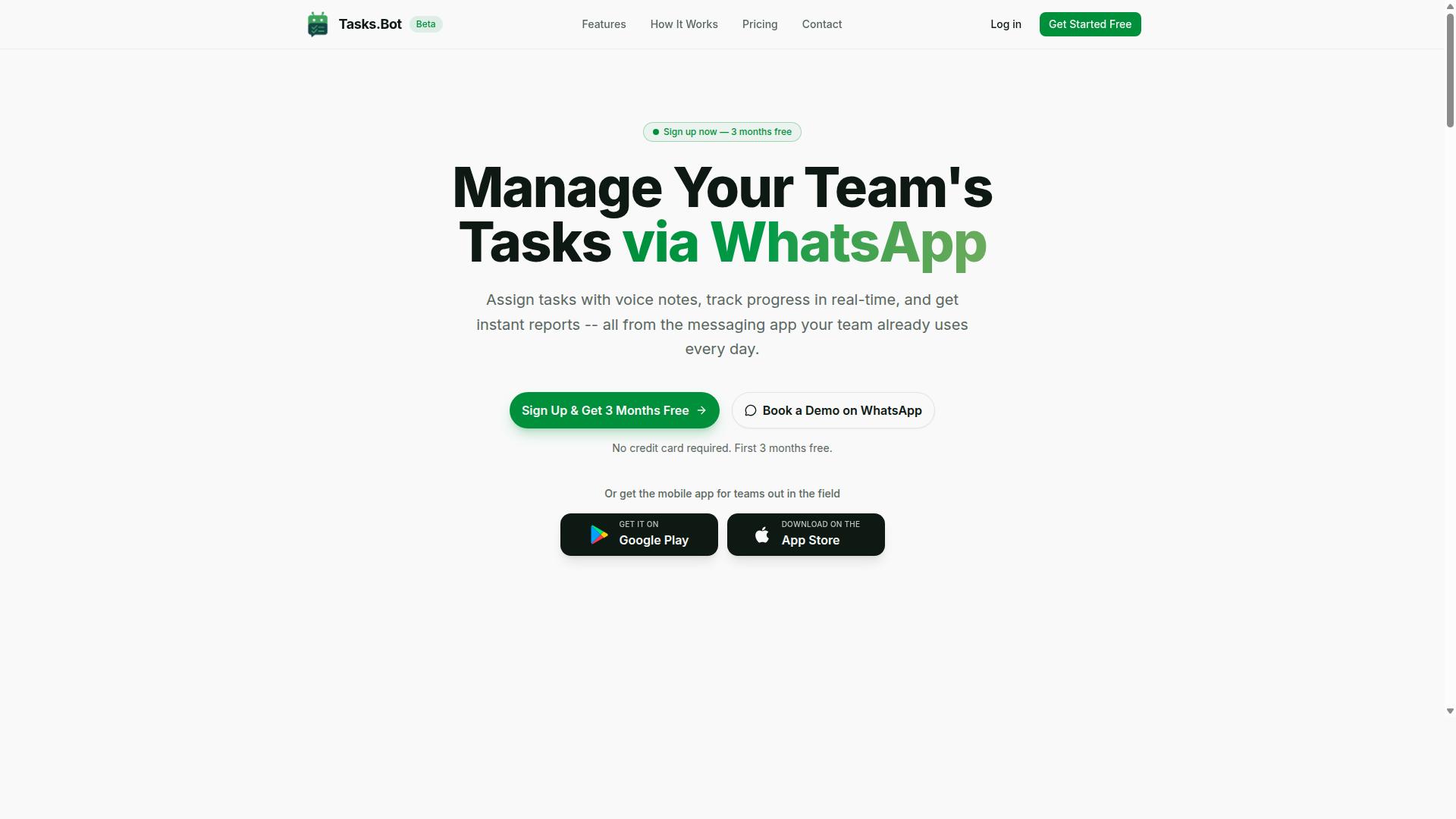
Tasks.Bot is a task management platform that operates entirely within WhatsApp, allowing teams to assign tasks, track progress, and receive reports without leaving the messaging app. For teams already glued to their phones, that design choice removes one of the biggest barriers to adoption: learning yet another tool.
Instead of asking people to jump between a project management dashboard, an email inbox, and a chat thread, Tasks.Bot keeps the whole loop in one familiar conversation. Task assignment, status updates, and reporting all happen where the work talk already happens.
This matters for real time reporting automation. When updates are captured in the same channel where tasks are handed out, reports reflect what is actually happening rather than a version of events reconstructed days later.
The platform is currently in beta and offers a free trial period, so teams can evaluate how the WhatsApp-native approach fits their workflow before committing.
Unlike tools that rely on a Slack integration, a Microsoft Teams app, or a Google Chat bot, Tasks.Bot treats WhatsApp itself as the workspace. There is no separate dashboard to log into and no new account to create for each team member.
For field staff who may not sit at a desk, Tasks.Bot also offers a mobile app. That gives on-the-ground teams a dedicated option while office-based colleagues continue working from WhatsApp.
In short, Tasks.Bot positions itself as task management and reporting delivered through the messaging app your team already uses every day.
Does Tasks.Bot Deliver on Real Time Reporting Automation?
Real-time reporting automation is a core promise of Tasks.Bot, but does it truly deliver? This section examines the mechanisms behind its instant reports and automations.
Tasks.Bot is a task management platform that operates entirely within WhatsApp. Team members do not need to install anything or create new accounts, which removes one of the biggest barriers to adoption for automated reporting. The service uses AI to understand user intent and create tasks from messages, then feeds those task events into a reporting layer that managers can access without leaving the chat app.
Two questions matter most when evaluating any tool in this category. First, how do instant reports and automations actually work, from task creation through to delivery? Second, how do live tracking features such as the Live Day Tracker, GPS location, and face-verified attendance contribute to the data behind those reports?
The next two subsections answer each question in turn. They cover the workflow that powers instant reports, the types of reports available, and the tracking features that give managers a fuller picture of team activity. Together, they show whether Tasks.Bot lives up to its real time reporting claims.
How Instant Reports and Automations Work
Tasks.Bot generates instant reports by leveraging automations that trigger upon task updates, completions, and other events within WhatsApp. The workflow starts with task creation. A team member can send a voice note or a text message, and the AI interprets the natural language to turn that message into a structured task. No forms, no separate app, and no training session required.
From there, the platform handles task assignment automatically using AI. When a task is created, it can be routed to the right person based on the instructions in the message. Smart deadline reminders then keep the task on track, and status changes flow back into the system as events that trigger report generation.
Reports can cover task completion rates, team performance metrics, and similar measures of activity. Because everything runs inside WhatsApp, delivery is immediate. Managers see updates in the same thread they already use for team collaboration, rather than logging into a separate KPI dashboard.
Automations are no-code by design. A manager can set up a daily summary report that arrives at 6 PM, or an instant alert when a task is overdue. Reports can also be customized and scheduled to match how a team already works. Approvals and automations round out the picture, letting routine decisions move forward without manual follow-up.
Live Day Tracker, GPS Tracking, and Face-Verified Attendance as Reporting Data
Tasks.Bot goes beyond basic task updates by incorporating live day tracking, GPS location, and face-verified attendance into its reporting data. Each feature adds a different layer of visibility, and together they give managers a view of what is happening across a team during the workday, not just at the end of it.
The Live Day Tracker shows real-time task progress for each team member. Instead of waiting for a status update, a manager can see where work stands as the day unfolds. GPS tracking records locations for field staff when they check in or update tasks, and tasks on a map make that location data easy to interpret at a glance.
Face-verified attendance ensures that clock-ins are authentic. This matters for shift-based and field teams, where attendance records feed directly into hours, leave, and shift management. Because these inputs flow into the same reporting layer as task completions, managers get one consistent source of truth rather than several disconnected records.
Consider a field sales team. A manager can see who is where, which tasks are completed, and whether attendance matches the schedule, all within WhatsApp. Industries with remote or field workers benefit most: field service, sales, logistics, and any operation where staff are not at a desk. Enterprise-grade encryption protects this data throughout, and conversations and task data are never shared or used for training.
Key Features That Power Automated Reporting
Several key features enable Tasks.Bot's automated reporting, from intuitive task creation to smart reminders and management tools. Each one feeds structured data into the system, so reports reflect what is actually happening across a team rather than what someone remembers to log.
The first layer is voice note task creation with AI, which turns spoken or typed instructions into assigned tasks with deadlines. The second is smart deadline reminders, which keep those tasks moving and generate a reliable record of status changes along the way.
On top of that, Tasks.Bot supports approvals and automations, plus shifts, leave, and hours management. Approvals create a clear decision trail, while shift and leave records show who was actually available and when.
Together these features ensure accurate and timely data for reporting. Tasks are captured at the moment they are mentioned, deadlines are tracked automatically, and availability is logged in the same place work happens. That combination is what makes real time reporting automation possible instead of an after-the-fact guess.
Voice Note Task Creation and AI Natural Language Understanding
Creating tasks in Tasks.Bot is as simple as sending a voice note or typing a message, thanks to its AI-powered natural language understanding. The AI interprets the intent behind the message and creates the task from it, so no form filling or menu navigation is required.
For example, a manager could say something like "Remind John to submit the report by Friday." Tasks.Bot uses AI to understand user intent and create tasks from messages, which means the instruction becomes a task assigned to the right person with the deadline attached.
This approach removes a common source of reporting error: tasks that live only in someone's memory or in a chat thread nobody revisits. When the task exists in the system from the first mention, task assignment and deadline tracking start immediately.
The time savings matter for team collaboration too. Team members do not need to switch to a separate project management tool to log work, because task creation happens inside WhatsApp, the app most teams already have open. Tasks.Bot also offers Android and iOS apps with push notifications, voice capture, and a home screen widget for those who prefer a dedicated app.
Faster capture means fresher data. Reports built on tasks created in the moment are more accurate than reports assembled from memory at the end of a week, which is exactly what real time reporting automation depends on.
Smart Deadline Reminders, Approvals, and Shifts/Leave/Hours Management
Tasks.Bot automates deadline reminders, approval workflows, and management of shifts, leave, and work hours to keep projects on track. Each of these features produces the kind of structured record that reporting needs.
Smart deadline reminders keep tasks visible without anyone chasing them manually. Because Tasks.Bot works through native WhatsApp integration, reminders reach people where they already are, which supports deadline tracking and progress monitoring without a separate notification system to manage.
Approvals add a quality control layer. Tasks can require manager approval before being marked complete, which creates a decision trail that reporting can rely on. Instead of a task simply disappearing from a list, there is a record of who approved it and when.
Shifts, leave, and hours management rounds out the picture. Team members can log their hours and request leave, and managers can approve or reject those requests within WhatsApp. Tasks.Bot also includes face-verified attendance and a live day tracker, which support accurate records of who was present and working.
Put together, these features answer the questions reporting usually struggles with: what was assigned, whether it was finished and approved, and who was available to do it. That combination feeds performance metrics and team availability data into instant reports, giving managers a clearer view of team performance without manual spreadsheet work.
Pricing and Plans
Tasks.Bot offers a straightforward pricing model with a single 'Full Access' plan that includes all features. There are no confusing tiers to compare, no feature gates, and no upsells to work around. Every capability the platform provides sits inside one plan.
Pricing is listed in Indian Rupees (₹) and US Dollars ($). The site shows a 'Select currency' option, so readers should confirm the currency before subscribing.
| Plan | Price | What's Included |
|---|---|---|
| Full Access (Monthly) | ₹200 per member per month | All features |
| Full Access (Annual) | ₹1,200 per year per member | All features |
Pricing is charged per member, which makes costs easy to forecast as a team grows or shrinks. The annual option works out to a meaningful saving compared with paying month by month.
New users also get 3 months free, with no credit card required and the ability to cancel anytime. That trial window gives teams room to test reminder scheduling, recurring tasks, and deadline tracking before committing budget.
Tasks.Bot is currently in beta, and a refund policy is referenced in the site footer. Because beta pricing and policies can shift, check the website for current pricing before you decide. Booking a demo through WhatsApp is the fastest way to confirm details for your team size.
Trust Signals: Beta Status, Encryption, and Teams Already Using Tasks.Bot
Tasks.Bot is currently in beta, which means it's actively being improved, but it already has hundreds of teams using it and employs encryption to protect data. That combination tells a specific story: the product is young enough to be evolving quickly, yet proven enough that real organizations rely on it for daily work. For anyone evaluating it for real time reporting automation, both halves of that picture matter.
Beta status is often misunderstood as a warning sign. In practice, it usually signals the opposite: a development team that is still shipping changes and listening to feedback. Features can be refined, rough edges can be smoothed, and user input can shape the roadmap directly. The trade-off is honest and worth stating plainly. A beta product may still have occasional bugs or unfinished corners, and teams with zero tolerance for that should weigh it accordingly.
What tips the balance is the adoption already in place. Hundreds of teams are using Tasks.Bot today, which functions as a form of social proof. Those teams are running task management, workflow automation, and automated reporting through it, not just testing it in a sandbox. A product that survives contact with that many real workflows has usually cleared the bar that matters most.
Data protection is the other core trust signal. Tasks.Bot employs encryption to protect data, which matters when a tool touches status updates, performance metrics, and progress monitoring across a team. Reporting data often includes internal targets and KPI dashboard figures that organizations do not want exposed. Encryption is the baseline expectation for any productivity tool handling that kind of information.
Two smaller details round out the picture for cautious buyers. The site mentions a refund policy in the footer, which lowers the risk of trying the service and effectively acts as a trial signal. Tasks.Bot also offers a Book a Demo on WhatsApp option, so teams can ask questions directly before committing. Neither detail replaces due diligence, but together they suggest a vendor that expects scrutiny and is prepared for it.
The balanced verdict: beta means potential bugs, but it also means rapid innovation and a team that responds to feedback. Hundreds of active teams, encryption, and a refund policy offset the uncertainty. Readers weighing Tasks.Bot for automated reporting should treat the active user base as the strongest signal of all. Adoption at that scale does not happen by accident, and it is a reasonable indicator that the platform delivers on its core promises.
Who Should Use Tasks.Bot for Real Time Reporting
Tasks.Bot is ideal for teams that already use WhatsApp for communication, especially those with field staff who need task management, attendance tracking, and payroll-ready hours. The platform is built around the app these teams already open dozens of times a day, which removes one of the biggest barriers to adopting new productivity tools: getting everyone to install and learn something else.
Because the work happens through a familiar chat interface, real time reporting automation becomes part of the daily routine rather than a separate system people have to remember. Field staff send updates from the job site, and managers see progress as it happens instead of chasing paperwork at the end of the week.
According to the brand, hundreds of teams already use Tasks.Bot for this kind of coordination. That scale matters for buyers evaluating real time reporting automation, since it shows the approach works across many different working environments, not just one niche.
The strongest fit is small to medium-sized businesses that want tighter operations without the overhead of complex software. If a company is already running its day through WhatsApp groups, Tasks.Bot slots into that habit instead of replacing it.
Several types of teams tend to benefit most from this setup:
- Field sales teams that need task assignment and status updates while moving between client visits
- Service teams that dispatch technicians and want attendance tracking tied to real jobs
- Construction crews working across multiple sites where location and completion times matter
- Remote teams that rely on chat for coordination and want reporting to flow from the same channel
A plumbing company offers a clear example. A manager assigns jobs to technicians through WhatsApp, tracks their locations as they move between calls, and sees completion times come in without a single phone call to the office. Those same records feed into payroll-ready hours, so the admin work that usually eats into evenings simply does not pile up.
The common thread across these examples is that no new app is required. Teams keep the communication habits they already have, while gaining structured reporting, attendance data, and task visibility behind the scenes. For businesses that find full project management suites heavier than they need, that combination is often the deciding factor.
Final Verdict: Is Tasks.Bot the Right Choice for Reporting Automation?
Tasks.Bot presents a compelling solution for teams seeking real-time reporting automation within WhatsApp, but it's important to weigh its beta status and specific use cases. For teams already running daily operations through WhatsApp, the platform removes the friction of switching between multiple productivity tools.
The core strength of Tasks.Bot lies in its WhatsApp integration. Instead of asking employees to open a separate project management app, it brings task management and automated reporting into the messaging channel they already use. This lowers adoption barriers and keeps status updates flowing without extra effort.
Its AI-powered task creation means users can turn plain messages into structured assignments. Combined with real-time reporting, this gives managers a live view of progress rather than waiting for end-of-week summaries. The result is faster visibility into team performance and fewer missed deadlines.
Tasks.Bot also includes attendance features that go beyond basic check-ins. GPS and face-verified attendance add a layer of accountability for field teams and remote staff, which matters for organizations that need reliable proof of presence alongside task tracking.
There are honest limitations to consider. The platform is still in beta status, so some features may evolve over time. It also leans heavily on WhatsApp as the primary interface, which could be a constraint for teams that prefer Slack integration, Microsoft Teams, or Google Chat as their main hub.
Here is a quick summary of what to weigh:
- Strengths: WhatsApp integration, AI-powered task creation, real-time reporting, GPS and face-verified attendance
- Limitations: beta status, reliance on WhatsApp as the core channel
- Best fit: teams that already live in WhatsApp and want task management with automated reporting built in
For the right team, the trade-offs are minor. If your workflow already runs through WhatsApp and you need efficient task management paired with reporting, Tasks.Bot is worth trying. The refund policy lowers the risk of testing it against your actual use case before committing.
To explore whether it fits your team, you can book a demo or reach out directly. Contact Tasks.Bot at [email protected] or call +91 97143 42522 to discuss your reporting automation needs.
Frequently Asked Questions
What makes Tasks.Bot different from Tasks.Bot for real-time reporting automation?
Tasks.Bot is built to run entirely inside WhatsApp, so your team can assign tasks, get updates, and receive instant reports without installing new software or creating extra accounts. Reporting happens in real time as work progresses, rather than being compiled later in a separate dashboard. This makes it especially practical for teams that already coordinate on WhatsApp.
Do my team members need to download an app or learn a new tool to use Tasks.Bot?
No. Tasks.Bot operates within WhatsApp, so team members don't need to install anything or create new accounts to get started. For field teams, Tasks.Bot also offers a mobile app to support on-the-ground work. That means reporting automation fits into the messaging app your team already uses every day.
How does Tasks.Bot handle task creation and updates for reporting?
Tasks.Bot uses AI to understand natural language and voice notes, so tasks can be created just by sending a message or a voice note in WhatsApp. It also supports automatic task assignment, smart deadline reminders, approvals, and automations. As these tasks move forward, instant reports keep everyone updated in real time.
Can Tasks.Bot track field staff attendance and hours for payroll?
Yes. Tasks.Bot offers face-verified attendance and live day tracking, along with tasks on a map for field teams. This gives teams payroll-ready hours without extra manual reporting. It's designed for teams with field staff who need task management, attendance tracking, and reliable time records.
How much does Tasks.Bot cost, and is there a plan with all features?
Tasks.Bot offers a 'Full Access' plan with all features included, priced in Indian Rupees (₹) and US Dollars ($). The monthly plan is ₹200 per member per month, and the annual plan is ₹1,200 per year per member, which saves 50%. A refund policy is mentioned in the site footer.
How do I get started or see Tasks.Bot in action?
You can book a demo directly on WhatsApp through the Tasks.Bot website. Tasks.Bot is a SaaS product available worldwide, so there are no country restrictions. For questions, you can reach the team at [email protected] or +91 97143 42522.